 OnVoice
The Supercharged Dashboard
See the hours come back.
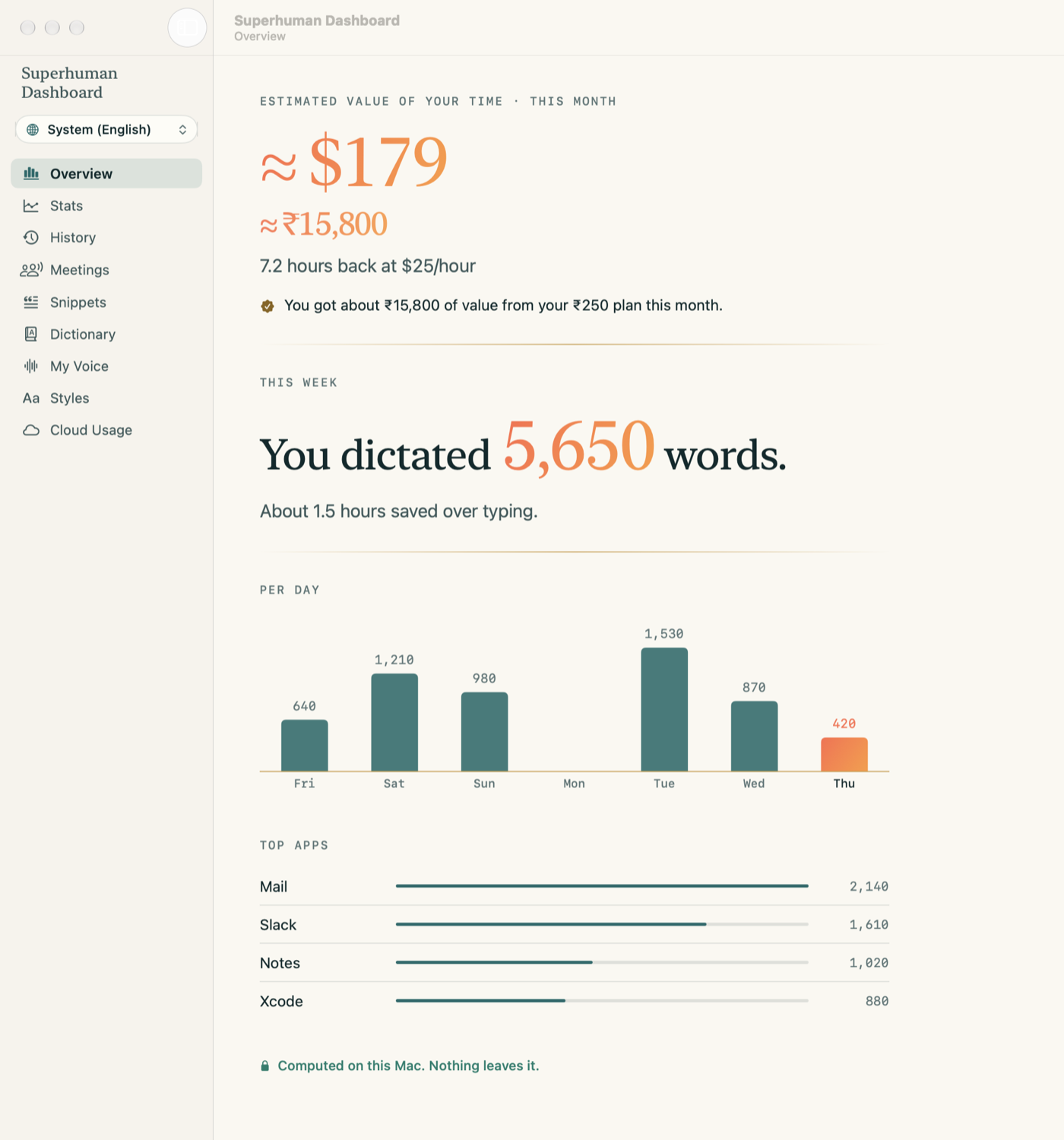
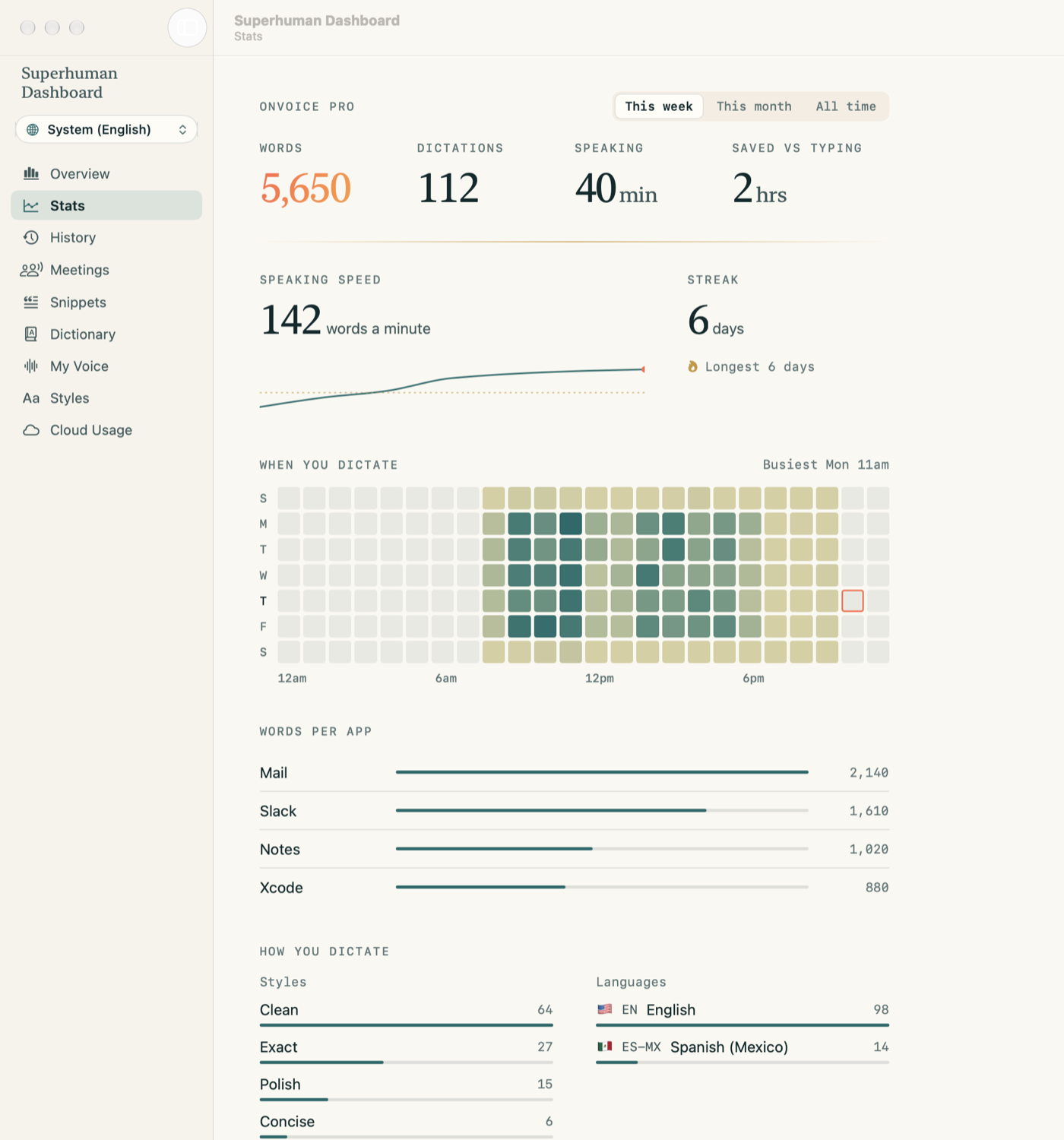
OnVoice opens the Supercharged Dashboard: an estimate of what your dictated time is worth, when you dictate, what you said in every meeting, and a voice that learns to write like you. Computed on this Mac.
A mirror for your time.
Estimated value of your time · this month
≈$179
≈₹15,800 · 7.2 hours back at $25 an hour
An estimate from words dictated, your speaking pace and an hourly rate you set. It is not money saved and it is not a promise; it is a mirror.
Everything included
- Unlimited words. No weekly limit, ever.
- The Supercharged Dashboard. The estimated value of your time, and every stat behind it.
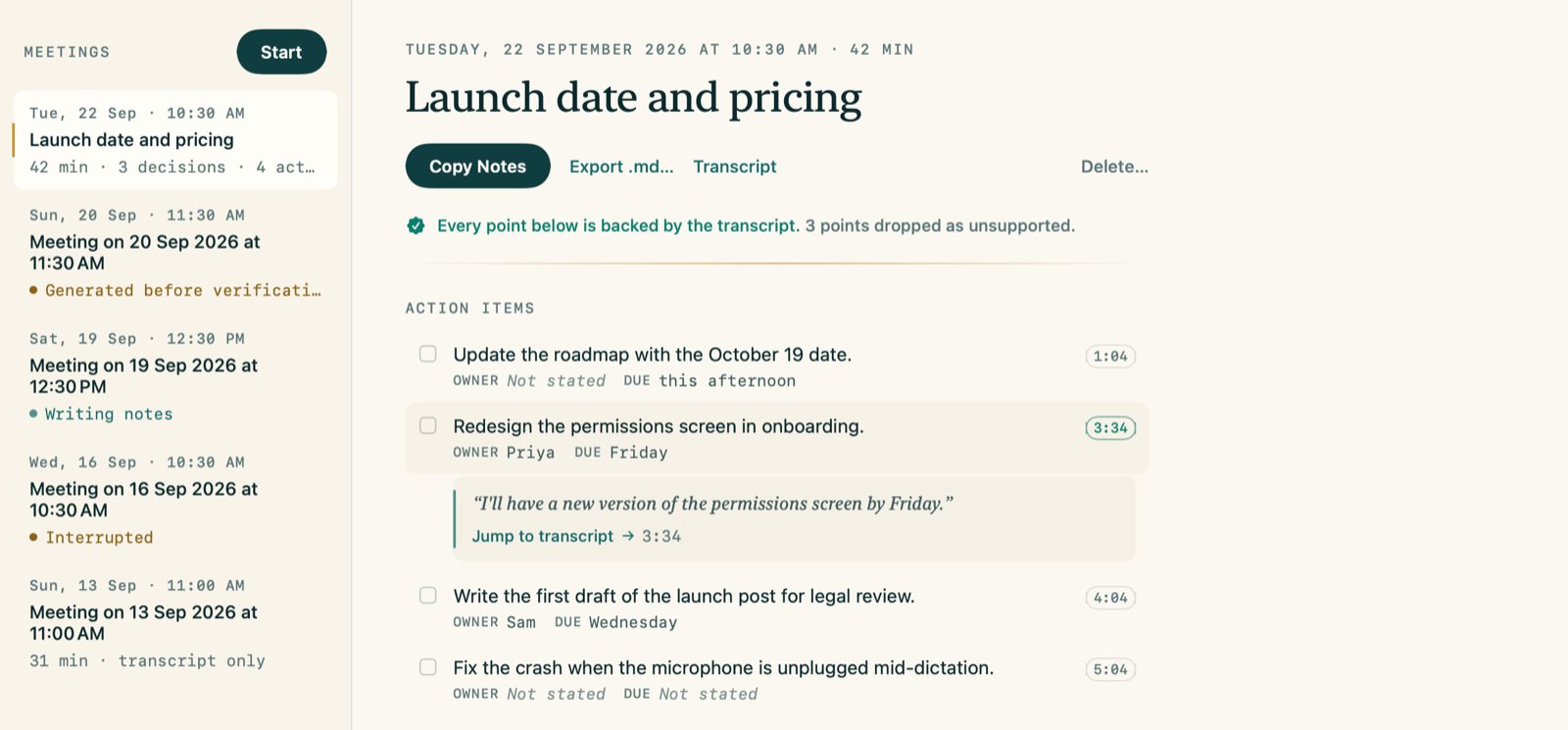
- Meeting notes Beta where every point is backed by the transcript.
- Voice actions. "OnVoice, remind me to call Amma at five."
- 100 languages for dictation on Mac, and translation.
- Quill. Select text in most apps and rewrite it in a style you pick.
- Smart styles: Polish, Concise, Expand, Custom, on the Mac.
- Quill in your style. Select text, and Quill rewrites it the way you write, learned privately from your own history.
- Edit selected text by voice. "Make this shorter."
- Unlimited snippets, per-app styles, history search.
- Learns your words and fixes. A smart dictionary and remembered corrections, on this Mac.
Meeting notes Beta
Every point is backed by the transcript. Or it is dropped.
OnVoice records your mic and the call, transcribes on the Mac, then writes action items and decisions. Each one links to the quote it came from. A point it cannot back is left out and counted.
100 languages and translation
Speak Telugu, Hindi or English. Type any of them.
Dictate in 100 languages on Mac, including Telugu and Hindi. Tell OnVoice the languages you speak, up to 5, pick your main one, and switch with ⌃⌥L. The HUD shows the language it actually heard.
Dictation on Mac covers 100 languages with the Precision engine, and the translation list offers the same 100. Everything is included, free. Translation runs on-device with Built-in AI where it can. Languages marked Beta can only be translated by the small local model or your own AI key, so expect rougher results there. If a translation fails you get your untranslated words, never nothing.
Say it, and it is done.
- Voice actions. "OnVoice, remind me to call Amma at five." Reminders, calendar events and web searches, off until you turn them on.
- Edit selected text by voice. Select a paragraph and say "Make this shorter."
- Smart styles. Polish, Concise, Expand and Custom run on Built-in AI or the Smart Clean model. Pick a style per app: casual in Slack, formal in Mail.
- Quill in your style. Select text, and Quill rewrites it the way you write, learned privately from your own history. How it learns you
- Unlimited words and snippets, history search and longer history.
Smart styles, on-device
Your words, your way. The rewrite runs on the Mac.
Polish, Concise, Expand and Custom run on Built-in AI or the Smart Clean model.
um so the build is uh broken again on main, I think it's the, the new signing step, can someone take a look before the demo
So the build is broken again on main. I think it's the new signing step. Can someone take a look before the demo?
The build on main is broken again, most likely because of the new signing step. Could someone take a look before the demo?
Main is broken again, probably the new signing step. Can someone look before the demo?
Exact, Clean, Polish, Concise, Expand and Custom are all free.
Quill: rewrite text you already have.
Different from dictation styles: Quill works on writing that is already on the page.
- Select, then press Right Command and Right Option together. Or copy the text first. Works in most apps.
- Pick a style. Polish, Tidy, Concise, Expand or Organize. Add My Voice if you want it to sound like you.
- Review, then Replace or Copy. Replace works in apps that allow it. One Undo brings the original back.
- Private. It runs on your Mac by default. Text is sent only if you connect your own AI key. Up to 6,000 characters. Password fields are never read.
A note on Beta
You are one of the first.
Meeting notes, the Diary and To-do are labelled Beta because we are still building them. You are among the first people to use them, so expect rough edges: a missed point, an odd summary, a bug. Dictation is the part we have tested the most. Tell us what breaks at privacy@onsuite.in, and it gets fixed.
Free. Everything included.
Sign in once with Apple, Google or WhatsApp. Then it works without internet.

Max out your productivity. Get supercharged.
Beta for macOS 14 or later. Sign in once with Apple, Google or WhatsApp. Then it works without internet. Everything stays with you.